





Solar Installation Company
Plan panel layouts, simulate energy output, and generate proposals faster while keeping your crew safe on the ground with drone-captured roof data.
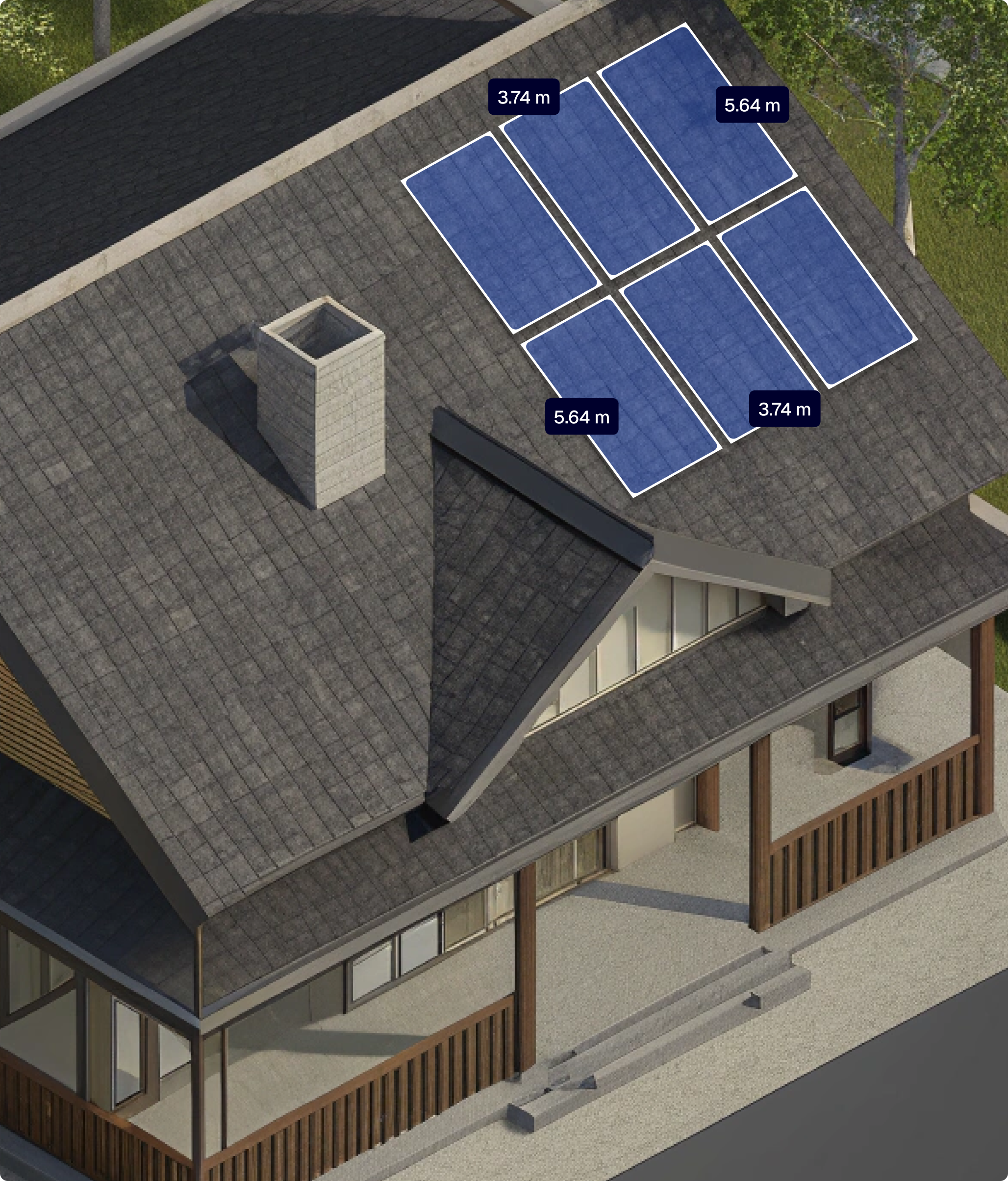
Panel Width
3.74 m
Panel Height
5.64 m
Panel Power
425 Wp
Panel Pith
37.28 °
Total
15.73 kWp / #37
Benefits
Design solar layouts even on steep or irregular roofs without extra site time.
Reduce costly miscalculations in panel placement and energy estimates.
Access solar project data online, share with engineers, and update from the field or office.
Deliver polished solar quotes quickly and secure client approval sooner.
Features
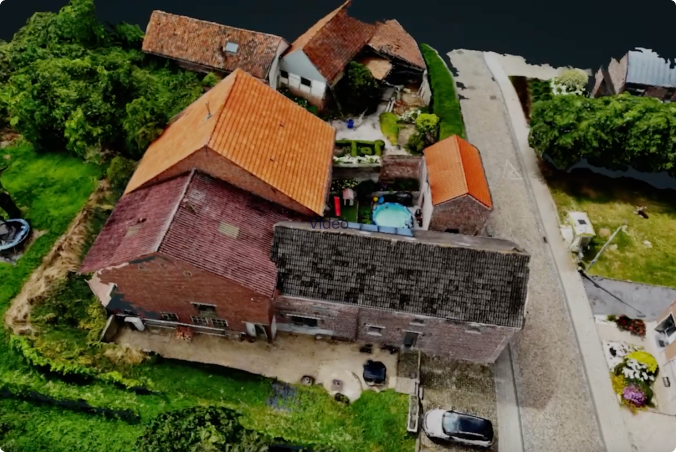
Scan roof shape and create photorealistic renders of the site, with building details such as windows and chimneys.
Get automated calculations for azimuth, tilt angle, and estimated energy output.
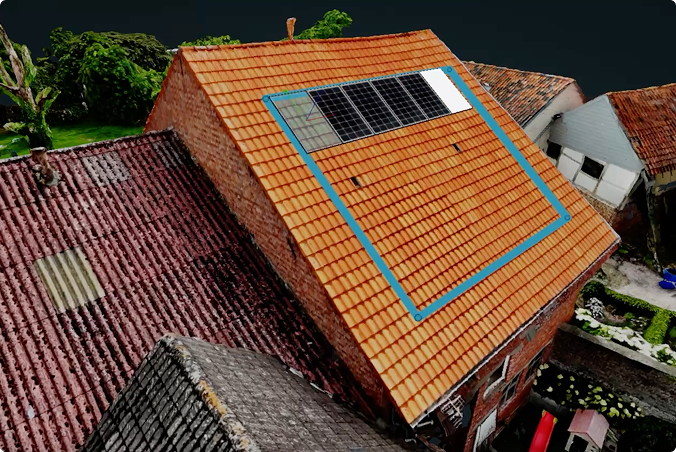
Test various configurations and evaluate peak power output, including calculations of azimuth, sun exposure, and more.
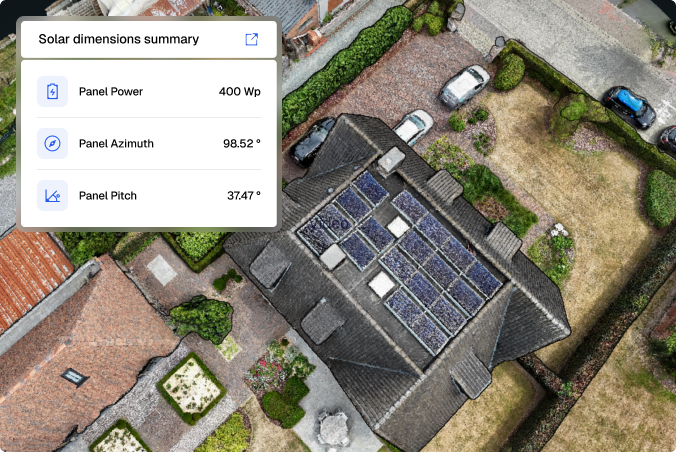
Show clients what the house will look like with solar panels, including dimensions, orientation, and placement details.
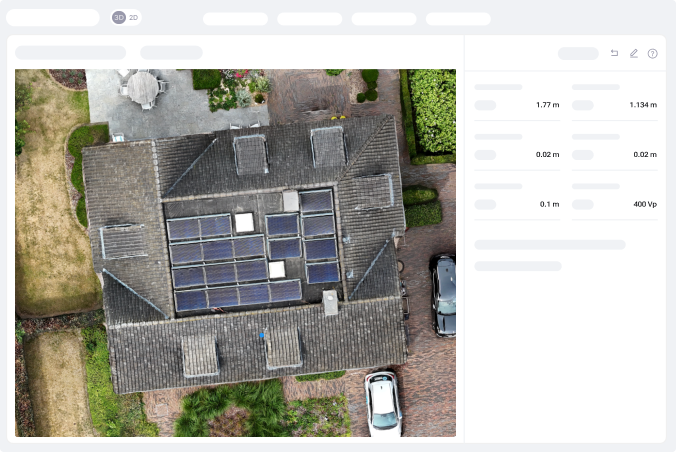
Get a clear overview of total tile area, ridge length, gutter length, and scaffolding surfaces.
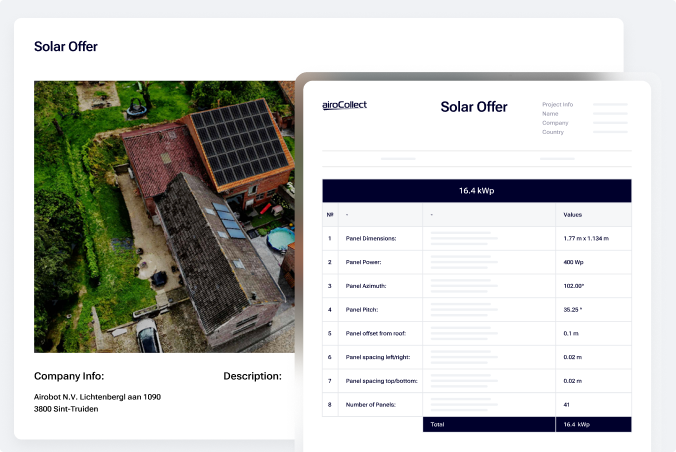
Capture Tips
Flight Patterns
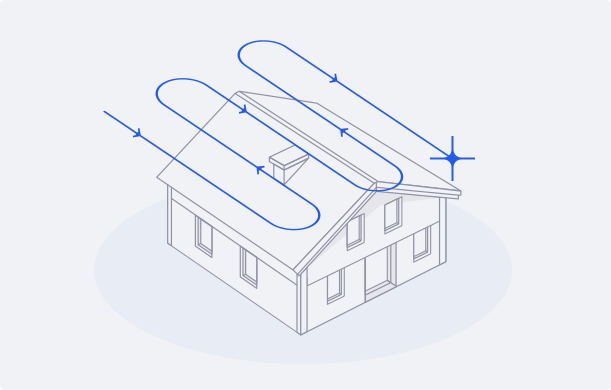
Linear Pattern
Flight Path
Fly in straight, parallel lines above the terrain — think of it like mowing a lawn.
Camera Angle
Set your drone’s camera to -90° (facing straight down).
Photo Mode
Enable timed shooting to capture a photo every 2 seconds automatically.
Number of Passes
Complete at least 3 orbits directly above the roof for full coverage.
Speed
Keep your drone speed low, no more than 2 meters per second.
Altitude
Maintain a consistent height of around 30 meters above the ground.
Flight Patterns
Linear Pattern
Altitude
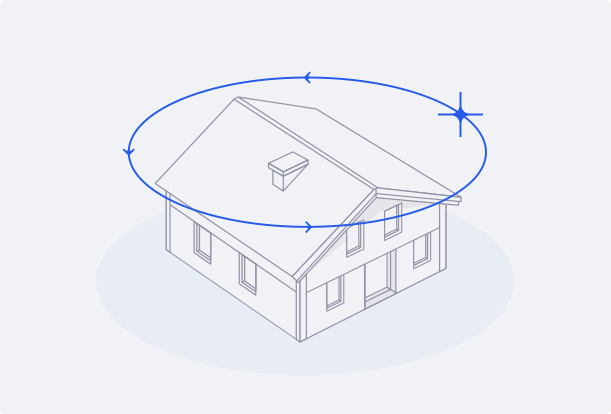
After the main scan, fly a circular route around the structure at the same altitude.
Photo mode
Enable timed shooting to capture a photo automatically every 2 seconds.
Camera
Set the camera angle between 45° and 60° to keep the building centered in every frame.
Passes
Fly one full circle around the building.
Speed
Keep your drone speed low, no more than 2 meters per second.
testimonials
FaQ
Absolutely. Modern drones are very beginner-friendly. We recommend the DJI MINI-4 PRO, along with a few extra batteries and a hard case.
Once you’ve made your purchase, our step-by-step video guides will walk you through unboxing your drone, flying it, and uploading your images.
Consider all the processes where AiroCollect can support your work:
From there, estimate how many scans you’ll need per month or year. Choose the plan that matches your workflow.
The Basic License is designed for occasional use, offering clear savings in both time and cost. It’s ideal for complex projects where manual measurement would take significant time.
The Medium Licence supports regular use at the start of each project, enabling faster site assessments and allowing AiroCollect to serve as a data hub and project management tool.
The Unlimited License is built for full-cycle use, from initial quotation to project completion, including follow-ups and invoicing.
All plans offer the same features. The only difference is how often you use the platform.
With the free trial, you get 1 month of full access to all AiroCollect features — no credit card required. This includes 4 drone scans with support for 2D, 3D, and mesh outputs, using any GPS-enabled drone (like DJI Mini or Mavic).
You can measure distance, surface, volume, and height, run solar panel simulations, and export detailed reports. Plus, you’ll have full support from our team to help you get started.
If you don’t see the answer to your question send us a message and we will answer you as soon as possible, within a few hours.
Get 30 days of unlimited access and 4 included scans. No commitment